
Action library · These restyle
Film Portraits
Emulsions rather than effects, and the shelf that holds a likeness most closely of all the styles.
Real film stocks and the way each one renders a face. Warm faded seventies colour, high speed monochrome, low sun flaring in, the wrong chemistry giving acid shifts, long expired stock with drifting dyes, the creamy tonality of a larger negative. This is the most restrained shelf in the photo half of the library, and restraint is the whole proposition: the picture is still your picture.
People who want a good photograph rather than a transformed one. Portraits for a profile, a print, a gift. It is the shelf to send someone to when they have been disappointed by a heavier style and cannot say why.
The Film Portraits styles
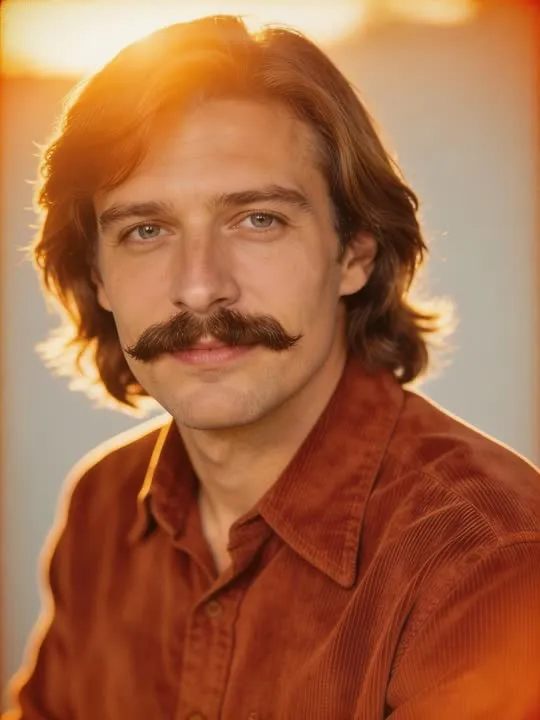 01Seventies Filmgraded like warm faded seventies colour stockAmber and ochre wash over everything here, so the colours already in the picture matter more than you would expect.Photo style
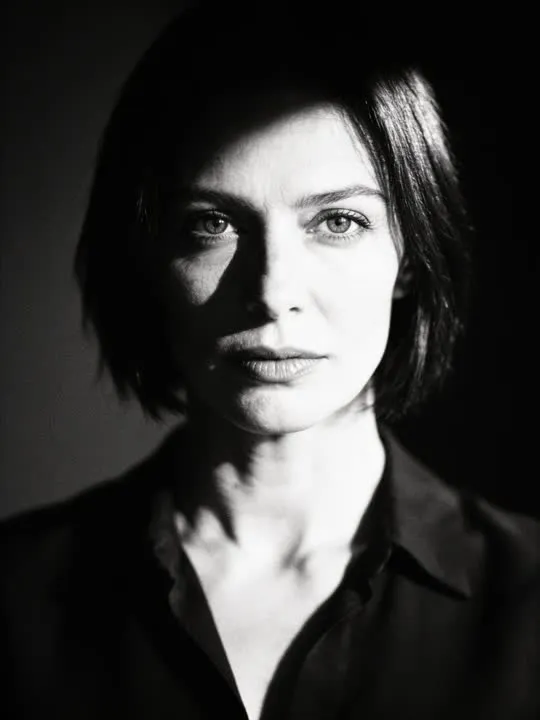 02Black & White 35mmshot on high-speed monochrome filmPhoto style
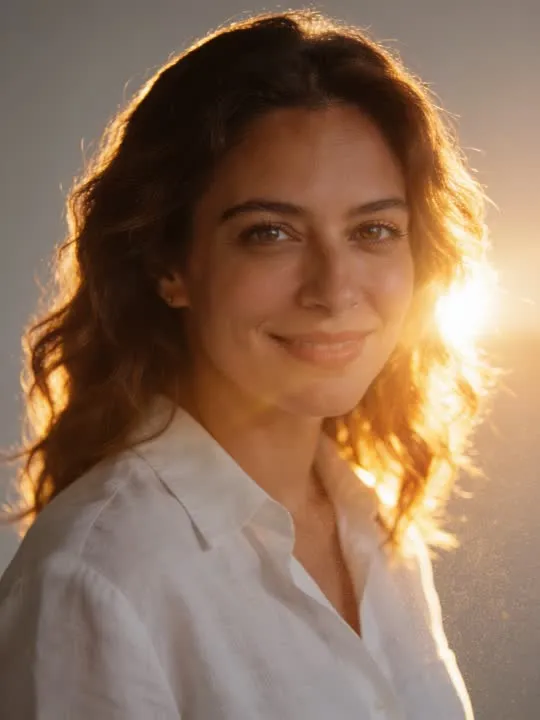 03Golden Hour Filmlit by low sun flaring in from behindPhoto style
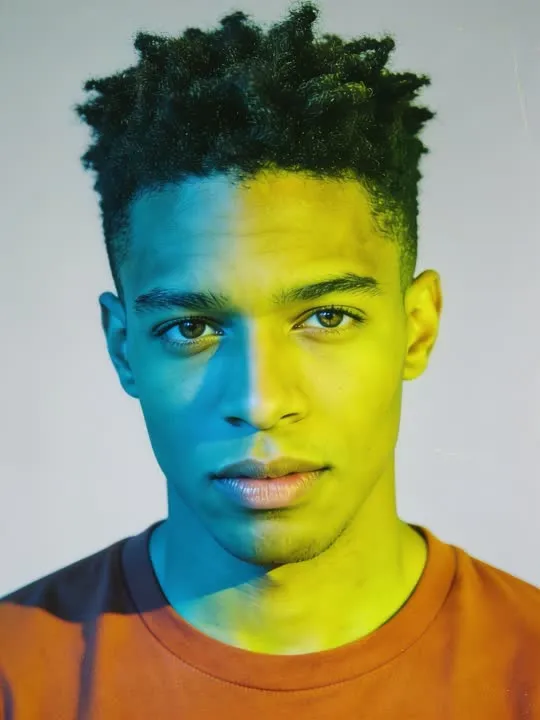 04Cross Processprocessed in the wrong chemistry for acid colour shiftsPhoto style
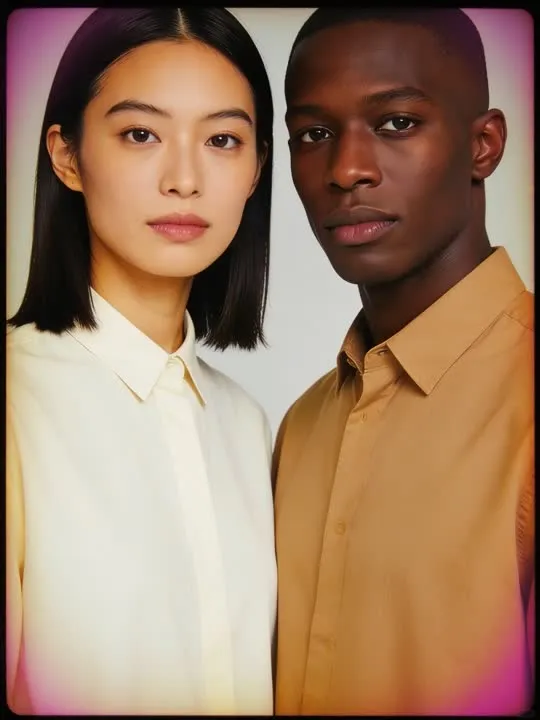 05Faded Filmshot on long expired film with drifting dyesPhoto style
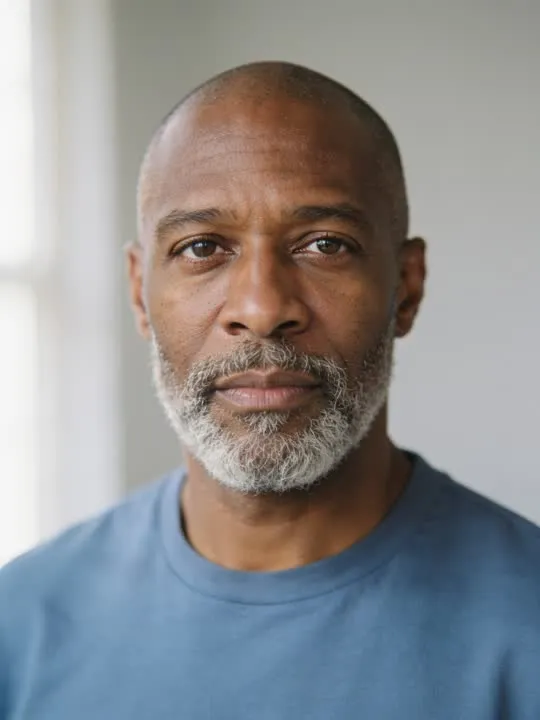 06Medium Formatrendered with creamy medium format tonalityPhoto style
 07Snowfall Portraita dreamy cinematic portrait caught in soft falling snowPhoto style
 08Annual Portrait DayA classic studio backdrop portrait with soft grain, the kind taken every year.Photo style
 09Expired RollWarm chemical color shifts and stray light leaks, like a roll of film left in the sun.Photo style
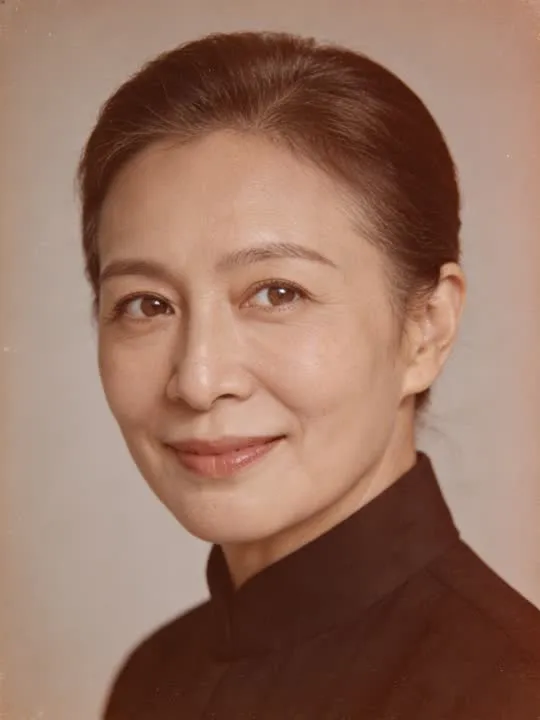 10Sepia Ancestor PlateAs if a photographic plate from another centuryPhoto style
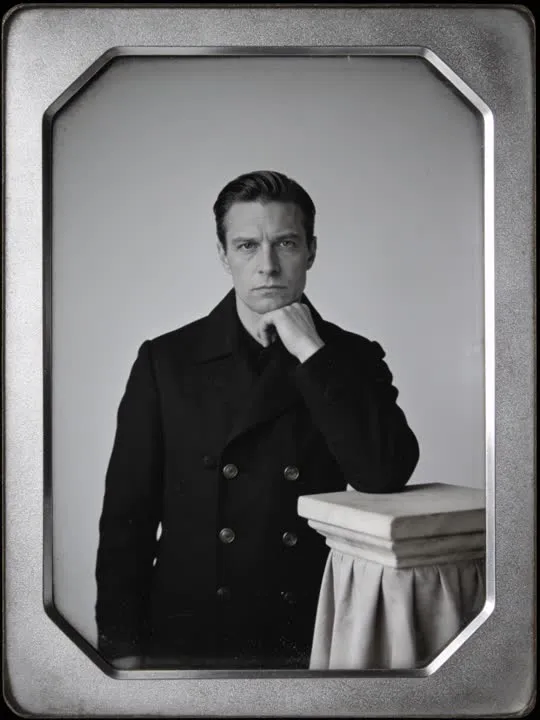 11Daguerreotype Studio StillA rigid antique studio pose in silvery monochromePhoto style
 12Eighties Neon Film PortraitWarm grain, neon bleed, unmistakably 80s.Photo style
What is invented on this shelf
Grain structure, colour response and the roll off in the highlights and the shadows, which is genuinely what separates one stock from another. It is also rebuilding the frame rather than tinting it, so fine detail in fabric and hair is remade rather than preserved.
One photograph goes in and a new still picture comes out, restyled rather than filtered: the model rebuilds the frame in the style instead of laying an effect over it. Run it twice if the first attempt gets a detail wrong, because the second version will not be identical.
The photograph this shelf wants
Film stock is mostly about tone, so give it tone to work with. A portrait with real light and shade across the face, head and shoulders or waist up, holds up better than a flat evenly lit snapshot where grain and halation have nowhere to land. Keep the eyes sharp and clear: these looks soften everything slightly, and a face that started soft finishes indistinct.
The four things that decide any result are the same here as everywhere else in the library, and they are set out in what makes a photo work. The limits that apply to every action on this site are in what none of these can do.
Where Film Portraits results vary most
These styles change contrast substantially, and contrast is where an already difficult source photograph gets more difficult. A picture that was underexposed does not become a well exposed picture with grain on it. Monochrome is the one to watch closely: with colour removed, the whole likeness rests on tone and edge, so a flat or shadowed original has less to work with than it did before.
Where to go next
- What Happens When You Animate a Black and White PhotographBlack and white is not the obstacle people assume it is. What the model actually reads in a monochrome photo, when colourising first helps, and when it only adds a second layer of invention.
- Should you restore a photo before you animate it?Creases, foxing and a colour cast are not cosmetic problems to an animation model, they are the picture. What restoring first actually buys you, and the one case where it will not help.
This is one shelf of many. The whole catalogue, grouped the way the app groups it, is in the action library.
Common questions
- What is the Film Portraits shelf for?
- Real film stocks and the way each one renders a face. Warm faded seventies colour, high speed monochrome, low sun flaring in, the wrong chemistry giving acid shifts, long expired stock with drifting dyes, the creamy tonality of a larger negative. This is the most restrained shelf in the photo half of the library, and restraint is the whole proposition: the picture is still your picture.
- Do the Film Portraits styles make a video?
- No. Every action on this shelf is a photo style, so it hands back a new still picture rather than a clip. The photograph is rebuilt in the style rather than having an effect laid over it. The motion actions elsewhere in the library are the ones that produce video.
- What kind of photo works best for Film Portraits?
- Film stock is mostly about tone, so give it tone to work with. A portrait with real light and shade across the face, head and shoulders or waist up, holds up better than a flat evenly lit snapshot where grain and halation have nowhere to land. Keep the eyes sharp and clear: these looks soften everything slightly, and a face that started soft finishes indistinct.
- Do I need a subscription for the Film Portraits actions?
- Nothing on this shelf is marked as a subscription only action in the app's catalogue. Free to download on iPhone and iPad. Credits and subscriptions are bought inside the app.
The right style for the photograph beats the popular one
Every action on the Film Portraits shelf is written up the same way, so you can check whether the picture in your camera roll actually suits it before you spend a credit on finding out.