What it costs to make an AI video from a photo
The unit of cost in this category is one generation, not one month. How credit pricing actually works, why a restyled still costs less than a clip, why retries are the hidden expense, and where the real figures live.

The unit of cost is one generation, not one month. You buy credits, each action spends a set amount when it runs, and a retry spends the same again. AI Video is free to download with no free tier behind it, so every result is paid for. The figures live on the App Store listing and in the app.
Why no number appears here
This is worth explaining rather than leaving as an oddity. Prices move, they differ in every currency, and an app’s price in Sydney is not its price in Toronto. A number typed into a web page is a promise the page cannot keep: it is wrong somewhere the moment it is published and wrong everywhere the day a price changes. So the rule on this property is that we describe the shape of what you buy, in as much detail as we can, and send you to the two places that can state the amount and be right. That rule is written out in full on the about page.
What follows is the shape, which is the part nobody explains.
The model: credits, not minutes
Credits are the currency inside the app. You hold a balance, an action spends from it when it runs, and when the balance is empty nothing generates. There are two ways to fill it.
A credit pack is a single purchase. You buy an amount, it lands in your balance, and that is the end of the transaction. Nothing renews, nothing bills again, and unspent credit does not evaporate at the end of a month.
A subscription refills a balance on a schedule instead. There are two tiers, Starter and Pro, and they differ in how much they put back and how often. This is the cheaper shape per generation for someone who is going to generate regularly, and the wrong shape entirely for someone making one anniversary card.
Which one suits you is a question about frequency, not about features, and it is worth answering honestly before you buy either. Making an AI video without a subscription takes the one-off route apart in more detail.
Not every action costs the same
The catalogue has two halves and they cost differently, for a reason that makes sense once you see it.
A motion action generates about five seconds of video at 720p. That is a great many frames, each one consistent with the last, each one having to keep a face looking like the same person. It is the expensive half.
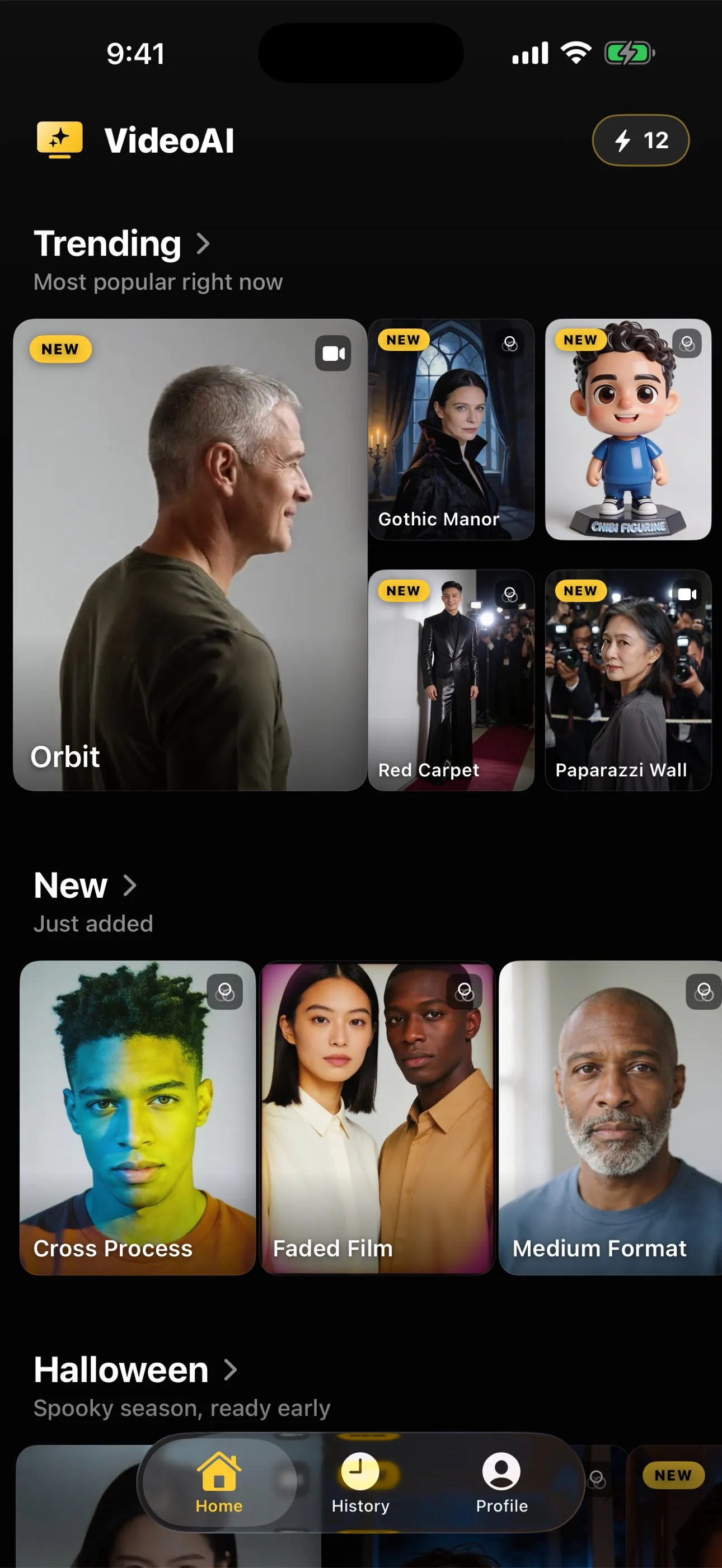
A photo style returns one new still picture: the same moment remade as a film portrait, a figurine, a poster, a noir frame. One image, generated once. It costs meaningfully less credit than a clip, and it is the half people overlook when they are worried about spend.
The app shows the cost of an action on that action’s own screen before you commit, which is the honest place for it. If you are experimenting, or working out whether a particular photograph is good source material at all, starting on the cheaper half is a reasonable way to learn what the model does with your picture without spending at the clip rate to find out. Animating a photo versus restyling it covers what each half is actually good for.
The hidden cost is the retry
Here is where most of the waste happens, and it has nothing to do with pricing.
Every generation is fresh. Run the same photograph through the same action twice and you get two different results, because the model is inventing rather than replaying. That is genuinely useful when a first attempt puts a hand somewhere strange and a second one lands cleanly. It is expensive when the problem is structural and no number of retries can touch it.
A chest-cropped photograph fed to an action that moves the legs will fail the same way every time, because the model has to build the legs from nothing on every run. A face turned three-quarters away will look uncertain on every run. A collage, a screenshot of a screenshot, or a picture already blurred by camera shake gives the model nothing to recover on any run. Three attempts at that is three times the cost of one attempt at something that suited the action.
This is why the cheapest thing you can do costs nothing: choosing a photo that will animate well is a one-minute check, and why your animated photo looks wrong tells you which failures a retry can fix and which ones it cannot. Reading an action page before you spend a credit is free as well, and every action page states the crop it expects.
Working out your own cost before you buy
The arithmetic is simple once you have the pieces, and you can do it on the App Store listing without installing anything.
- Decide what you actually want: a clip, or a restyled still. They sit at different price points inside the app.
- Decide how many of them, honestly. One card for one occasion is a different purchase from a habit of posting.
- Add a margin for retries. Two attempts per keeper is a fair planning assumption for a first go, and it drops sharply once you learn which of your photographs are good source material.
- Compare that against a pack and against a subscription cycle. Below a handful of generations, a pack is almost always the right answer. Above regular weekly use, the subscription shape wins.
What you are actually paying for
It is worth naming, because it explains why this is not free anywhere it is done well. Each generation runs a large model on someone’s hardware for real time and real electricity. Whoever runs it pays that whether the result pleased you or not. The services offering free generations are recovering the same cost elsewhere: a watermark that advertises them, an account and an email address they can market to, a queue that sells you the way past it, or an ad. Nobody in this category is giving away the compute. Can you animate a photo for free goes through those routes honestly, including what each one takes in place of money.
The short version
You pay per generation, in credits, bought as a pack or refilled by a subscription. Clips cost more than restyled stills. Retries cost full price, which makes the source photograph the single biggest lever on what this costs you. And the numbers live on the App Store listing and inside the app, because those are the only two places that can print them in your currency and still be right next month.
Common questions
- Why does this page not print a price?
- Because a figure typed onto a web page is stale the day a price changes and wrong in every currency but one. The App Store listing and the app itself state the current price in your own currency, and they are the only two places that can. This site describes what you are buying and never what it costs, which is a standing rule here rather than a dodge.
- Is AI Video free to try?
- It is free to download and there is no free tier past that. No trial, no daily allowance of free results. Every generation spends credits, and credits are bought either as a one-off pack or through a subscription that refills a balance on a schedule. An earlier version of this site implied otherwise and was corrected on 1 September 2026.
- Does every action cost the same?
- No. A motion action that generates a clip costs meaningfully more credit than a photo style that returns a new still, because generating five seconds of video is a great deal more work than generating one image. The app shows the cost of an action on its own screen before you commit to it.
- What is the most common way people waste money on this?
- Retrying the same unsuitable photograph. A retry is a fresh generation and costs the same as the first one, so three attempts on a chest-cropped photo fed to an action that needs legs cost three times as much as one attempt on a photo that suited the action. Almost all wasted spend in this category traces back to the source image.
- Are credits refunded if the result is poor?
- Treat a spent credit as spent. The model generates something every time, and quality judgements are yours rather than the service's, so the sensible assumption is that you pay per attempt regardless of whether you like what comes back. That is a reason to spend the free minute on choosing the photograph rather than the paid minute on retrying it.