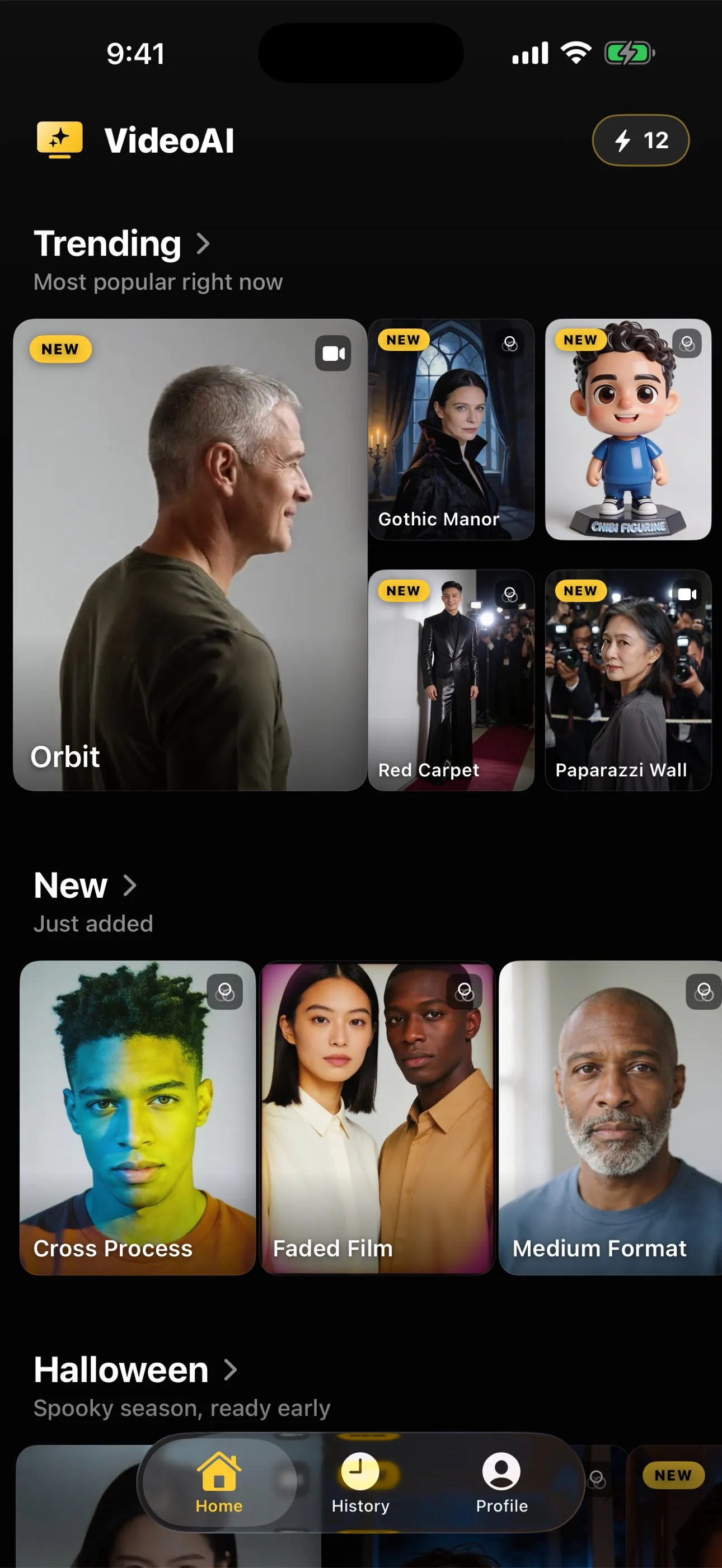
Are your photos private in an AI video app?
Every app in this category uploads your photograph, because the models are too large to run on a phone. What that means in practice, what to read before you install anything, and what AI Video does with the picture you choose, stated plainly.
No app in this category generates on your phone, so the answer starts there: your photograph is uploaded. The models are far too large to run on a handset. In AI Video the picture goes to the generation service that makes your result, and the app says so before the first run. The App Store listing carries the rest.
The question behind the question
People asking this rarely want a policy document. They want to know three things: where does my picture go, how long does it stay there, and who else sees it. Those are reasonable, and most pages in this category answer them with a reassuring adjective instead of an answer.
So this page separates what is true of the whole category from what is true of one app, and it names its own bias up front: this site is published by the company that makes AI Video. That relationship is stated on the about page as well, because a reader should meet the commercial interest before the argument rather than after it.
On-device is not on offer here
There is a genuine and growing category of photo work that happens entirely on a phone. Filters, adjustments, background removal, even quite sophisticated retouching: these are operations on pixels you already have, and modern phones are very good at them.
Generating five seconds of new video from a single still frame is not that. It is a large model inventing every frame, and it runs on hardware that does not fit in a pocket. Any app that offers this is sending your image somewhere, whether or not its marketing mentions it. If you find one claiming the generation happens locally, treat that as a claim to verify rather than a feature.
That is the honest floor for the whole category. What separates apps is not whether they upload, it is what they say about it and what else they collect while you are there.
What to read before you install anything
Three documents, in ascending order of effort, and all three are available before you download.
The App Store privacy label. Apple requires every listing to declare what the app collects and whether it is linked to you. It is on the listing page, it is standardised across apps, and it is the disclosure the publisher is held to. For AI Video it declares analytics and advertising related collection, including identifiers.
The privacy policy. Longer, and worth skimming for two specific things rather than reading end to end: what happens to an uploaded image, and whether your content is used to train anything. AI Video’s policy is linked from inside the app and published at momentumlab.ai.
The consent screen. The app asks before the first generation, and that screen is where the image handling is stated in the app’s own words. Reading it takes a few seconds and it is the one most people tap past.
If an app in this category has none of these three saying anything specific about uploaded images, that absence is itself the answer.
What AI Video does, plainly
The photograph you select is sent to the generation service so the model can produce the clip or the restyled still you asked for. It is used for that, and the app states so before your first generation rather than in a footnote afterwards.
Beyond the image, the app collects more than this website does, and the App Store listing is where that is declared: analytics and advertising related collection, including identifiers. That disclosure governs what happens inside the app. This page is not a substitute for it, and the privacy page on this site exists partly to say that a reader should not assume the website’s answer covers both.
Two things are worth stating in the other direction as well. This website never touches your photographs: there is nothing to upload to, no account, and no picture of yours in anything published here. And nothing on this site is gated behind installing the app, so you can read every action page and every guide without handing anyone an image.
The lines worth drawing yourself
Independent of any app’s policy, some photographs are not worth handing to a service at all.
Anything with information in frame that you would not give to a stranger: a document, a card, an address on an envelope, a screen with something readable on it. Photographs of other adults who have not agreed to being put into a generated clip, which is a courtesy question rather than a technical one and comes up most often with group pictures. Photographs of other people’s children. And anything you hold as the only copy, which is a backup habit rather than a privacy one but bites just as hard.
None of that is specific to one app. It is the standard for handing an image to any service, and it is the part you control completely.
The questions to ask any app in this category
- Does it say, in its own words, that it uploads the photograph?
- Does it say what the image is used for, and does that list stop at your result?
- What does its App Store label declare beyond the image?
- Is there a policy you can read before installing, or only after?
- Is anything on its website or listing making a claim about local generation that the category cannot support?
An app that answers the first two clearly is being straight with you, whatever the answers are. An app that answers neither has told you something as well.
The short version
Your photograph leaves your phone in every app of this kind, because that is the only way this works. What differs is candour and what else is collected alongside it. Read the App Store label, read the consent screen before you tap past it, and keep your own line about which pictures are worth handing over at all. For AI Video the image goes to the generation service to make your result and the listing declares the rest, which is the answer stated as plainly as we can put it.
Common questions
- Does AI Video upload my photo?
- Yes, and so does every app of this kind. The models that generate a clip or a restyled still are far too large to run on a phone, so the photograph you choose is sent to the generation service that produces the result. The app asks for your agreement before the first generation and states there that the image is used to make the result you asked for and not for any other purpose.
- Is anything generated on the device itself?
- No, and an app in this category that claims otherwise is worth a second look. On-device work in photo apps is real for things like filters and adjustments, which are small operations on pixels you already have. Generating five seconds of new video from one frame is a different order of computation entirely.
- What does the app collect beyond the photograph?
- More than this website does. The App Store listing for AI Video declares analytics and advertising related collection, including identifiers, and that listing is the disclosure to read because it is the one Apple holds the publisher to. The full policy covering the app is linked from inside the app and lives at momentumlab.ai.
- Do my photographs touch this website?
- No. Photo Motion Lab is a set of written pages and a catalogue read at build time. There is no upload on it, no account, and nothing here to send a picture to. The privacy page says this in full, and it also says plainly that the app is a separate thing governed by a separate policy.
- What should I not upload to any app like this?
- Anything containing information you would not hand to a third party, and any photograph of another adult who has not agreed to it. Identity documents, anything with an address or a card visible in frame, and pictures of other people's children are the obvious lines. None of that is specific to one app: it is the standard for handing an image to any service.