How long an AI video takes to generate from a photo
Not instant, and not a function of your phone. What actually happens during the wait, why a restyled still comes back sooner than a clip, why the same photograph can take longer on a second run, and when to assume something has gone wrong.

Expect minutes rather than seconds, and expect it to vary. The wait is an upload, a queue and a model run on a shared service, so it moves with demand rather than with your phone or your photograph. A photo style returns sooner than a motion clip. No honest tool prints a guaranteed time.
Why nobody in this category quotes a figure
It is a fair thing to be suspicious of. Most product pages answer this question with a confident number, and the number is usually a best case measured on a quiet afternoon.
The reason a range is the honest answer is that three separate things sit inside the wait, and only one of them is about you.
The upload. Your photograph leaves the phone and reaches the service. This is your connection, and it is usually the shortest part unless you are somewhere with poor signal.
The queue. The request waits its turn on hardware shared with everyone else using the service at that moment. This is the part that varies most, it is invisible from inside the app, and it has nothing to do with your photograph, your phone or what you paid.
The generation itself. The model runs. This part is fairly consistent for a given kind of request, and it is where the difference between a still and a clip lives.
Add a download at the end and that is the whole wait. Two of the three parts are outside anyone’s control on a given afternoon, which is why the honest answer is a shape rather than a stopwatch reading.
A still comes back before a clip
This is the one predictable difference and it is worth planning around.
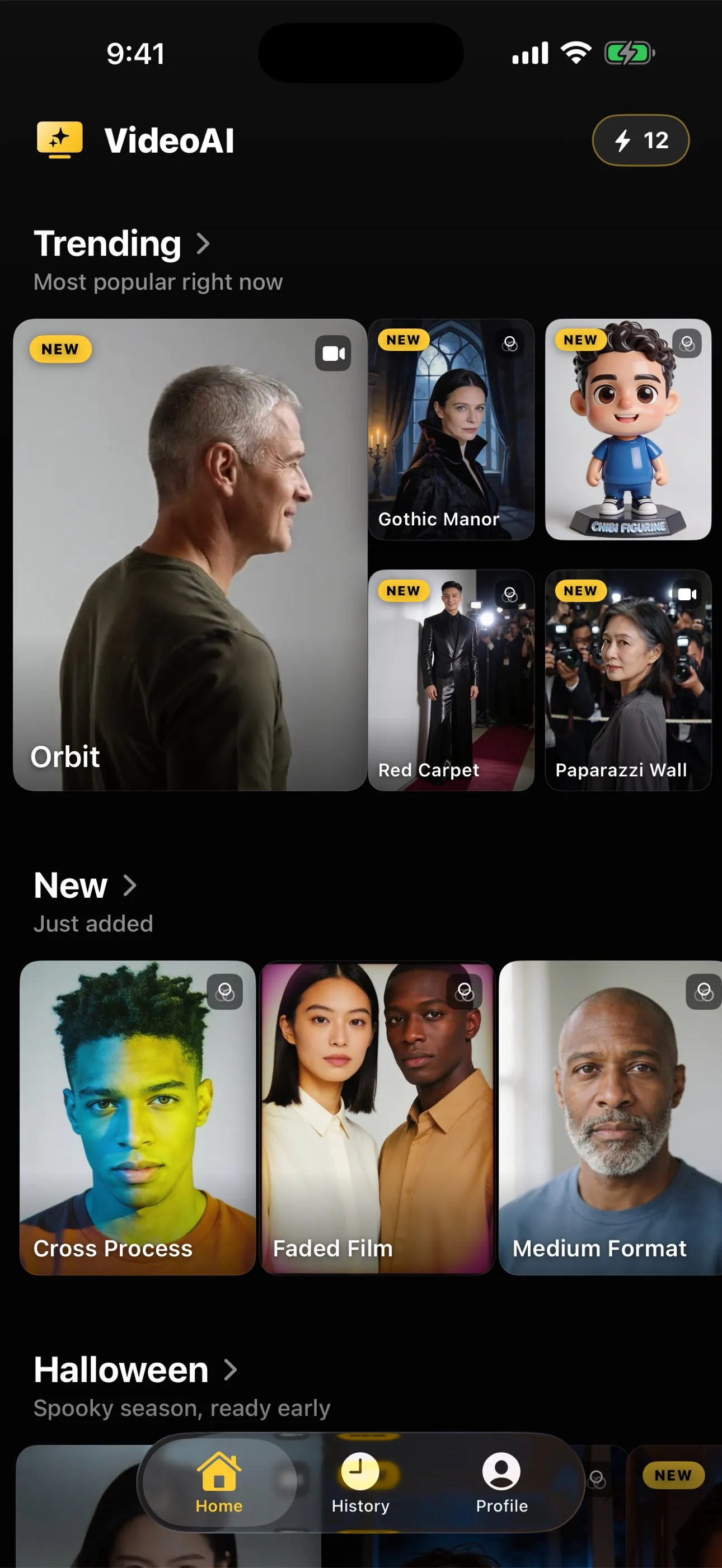
A photo style generates a single new image: the same moment remade as a film portrait, a poster, a figurine. One output, generated once.
A motion action generates about five seconds of video at 720p. Every frame in that has to be consistent with the one before it, and the face has to stay the same person all the way through. It is a much larger job, it takes longer, and it costs more credit for the same reason.
If you are experimenting, or trying to learn what the model does with a particular photograph, the cheaper and faster half of the catalogue is a reasonable place to find out. Animating a photo versus restyling it covers what each half is genuinely for, and what it costs covers the credit side of the same split.
What does not change the wait
A few things people reasonably assume matter, and mostly do not.
Your phone. The model is far too large to run on a handset, which is true of every app in this category, not just this one. Your device uploads, waits and downloads. A newer iPhone does not generate faster, because it is not generating.
The size of your photograph. A larger file takes fractionally longer to upload and then stops mattering. What the photograph contains affects the quality of the result a great deal and the speed of it almost not at all.
How complicated the action looks. A dramatic full-body routine and a small wave are the same amount of work for the model, even though they are wildly different amounts of invention. The difference between them shows up in how convincing the result is, not in how long you wait. Why your animated photo looks wrong is the page for that difference.
Your connection, mostly. It matters at both ends and not in the middle. A slow connection lengthens the upload and the download. It does not shorten or lengthen the queue.
When to assume something has gone wrong
From outside, a long queue and a stalled request look identical, which is why people give up on perfectly healthy generations. A sensible order:
- Wait longer than feels comfortable. This resolves most of them.
- Check that you actually have a connection. An upload that never completed cannot queue.
- Look at the app’s history rather than the screen you were on. A result that arrived while you were in another app collects there.
- Only then treat it as a failure.
Using the wait well
The wait is the one part of this process you cannot shorten, so the useful move is to spend it on the next thing rather than watching a progress indicator.
If you are working through a set of pictures, the minute a generation is running is a good minute to check whether the next photograph is actually good source material. Choosing a photo that will animate well is the one-minute version of that check, and it pays back far more than any amount of staring at a spinner. If you are unsure which action a picture can carry, the library states the crop each one expects on its own page.
And if the first result comes back not quite right, the thing worth knowing before you spend the next wait is whether a retry can fix it at all. A hand that landed strangely is worth one more run, because every generation is fresh and two runs of one photograph differ. A crop that never contained what the action had to move will fail the same way every time, however long you wait for it.
The short version
Minutes rather than seconds, driven by a queue you cannot see and a model that is not running on your phone. Stills come back sooner than clips. The same request can take different amounts of time on different days with nothing wrong. And the fastest route to a keeper is not a faster generation, it is a photograph that suits the action, which costs nothing and saves you the second wait entirely.
Common questions
- Why does this page not give an exact number of seconds?
- Because an honest one does not exist. The wait is made of an upload, a queue and a model run on someone else's hardware, and the queue moves with demand across a whole service rather than with anything about you. A figure printed here would be a guess dressed as a specification, so the page explains what drives the wait instead.
- Does a faster iPhone generate the video faster?
- Barely. The model does not run on your phone, so the device mostly affects how quickly your photograph uploads and the result downloads. A better connection helps more than a newer phone, and neither touches the part of the wait that happens on the service.
- Why did the same photo take longer the second time?
- Because you were queued differently. Generation services are shared, load rises and falls through the day, and the same request can sit for a different length of time on two runs. Nothing about your photograph changed and nothing is wrong.
- Is a photo style faster than a video clip?
- Yes, noticeably. A photo style generates one image. A motion action generates about five seconds of video, which is a great many frames that all have to agree with each other. More work takes more time, and it also costs more credit.
- What should I do if a generation seems stuck?
- Leave it longer than feels comfortable before assuming failure, since a long queue looks identical to a stall from outside. If it genuinely does not return, check your connection first, then look at the app's history, since a result that arrived while you were elsewhere collects there rather than announcing itself.