
Action library · These restyle
Painting & Doodle
The deepest style shelf in the library, and the one where the medium is the whole decision.
Handmade media, one style per material. Loose wet watercolour, bold marker over the top of the picture, museum oil on canvas, graphite on textured paper, flat opaque gouache, ink and grey wash, chalk pastel on a toned ground, a two ink lino cut, a hand painted animated feature. Each one behaves like the material it names, which means each one keeps a different part of your photograph and throws away a different part.
People making something to print and hang, or to give. It is the shelf with the widest spread between its gentlest and its most extreme options, which is why it is worth reading the medium rather than picking the first tile.
The Painting & Doodle styles
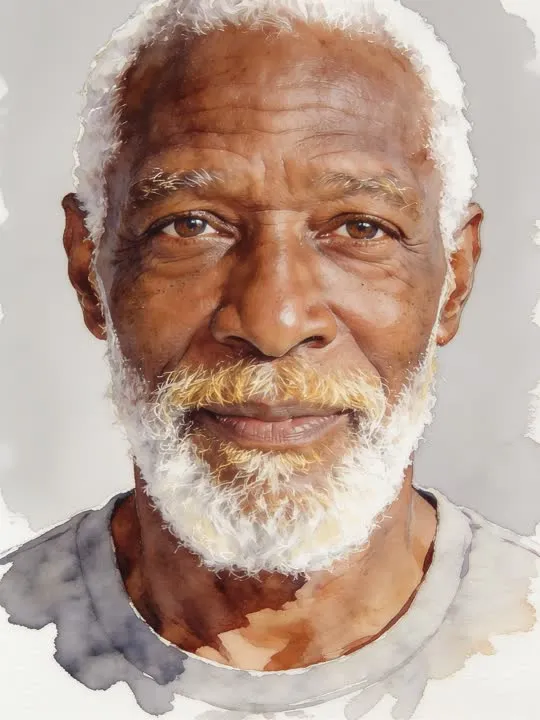 01Watercolour Washpainted in loose wet watercolour washesWet washes bleed outward, so the subject needs room inside the frame rather than sitting against the border.Photo style
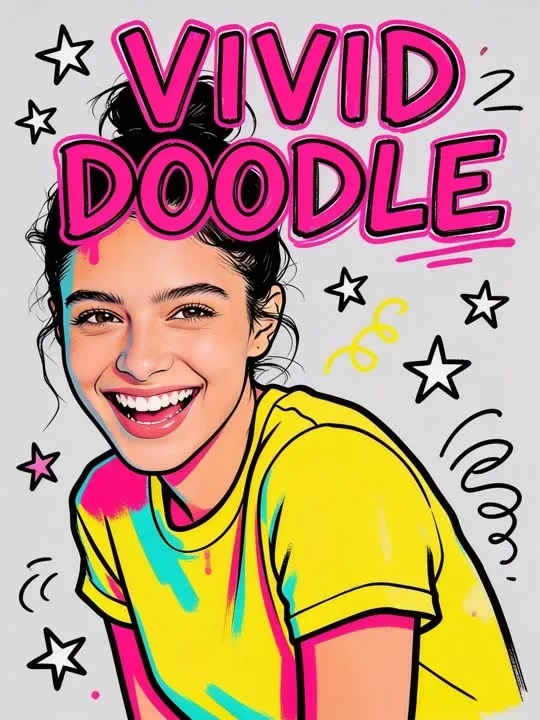 02Vivid Doodledrawn over in bold marker doodlesPhoto style
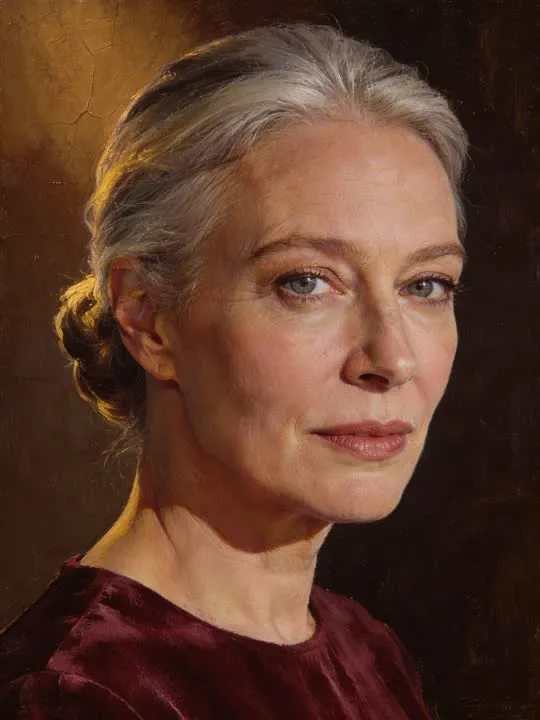 03Classical Oilpainted as a museum oil portrait on canvasPhoto style
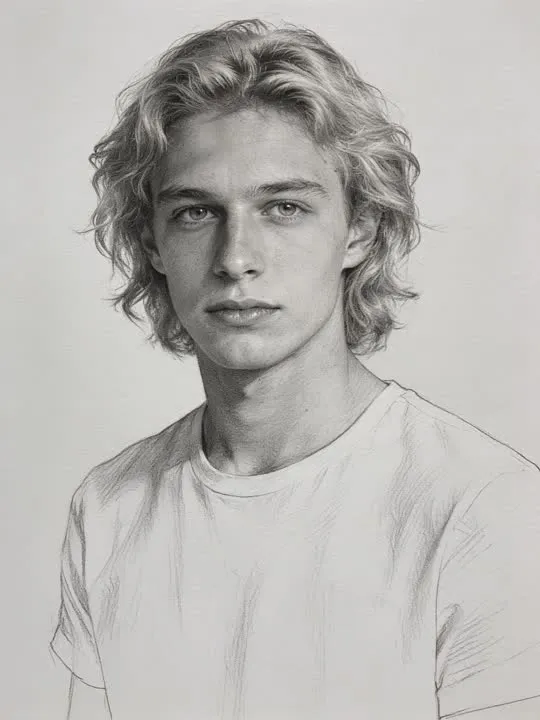 04Pencil Sketchdrawn in graphite on textured paperPhoto style
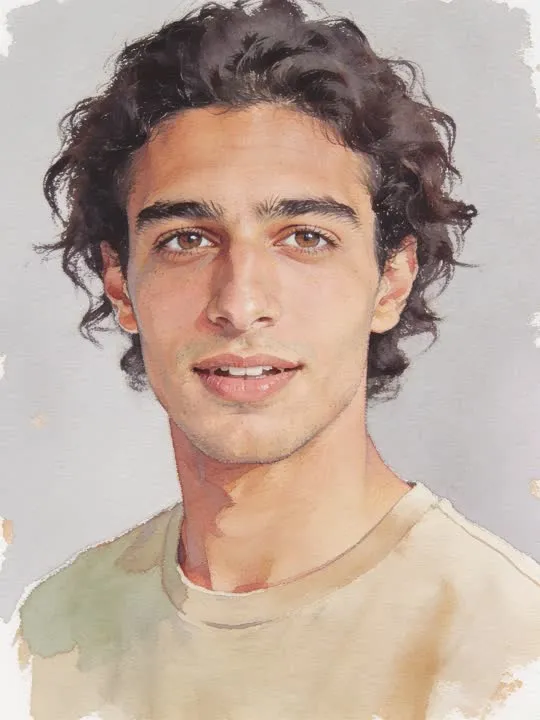 05Gouache Studypainted in flat opaque gouache on textured paperPhoto style
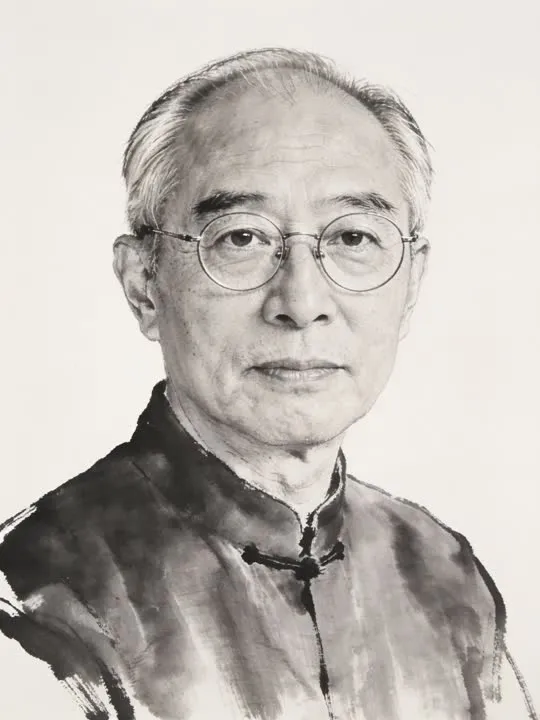 06Ink Washbrushed in loose ink and grey washPhoto style
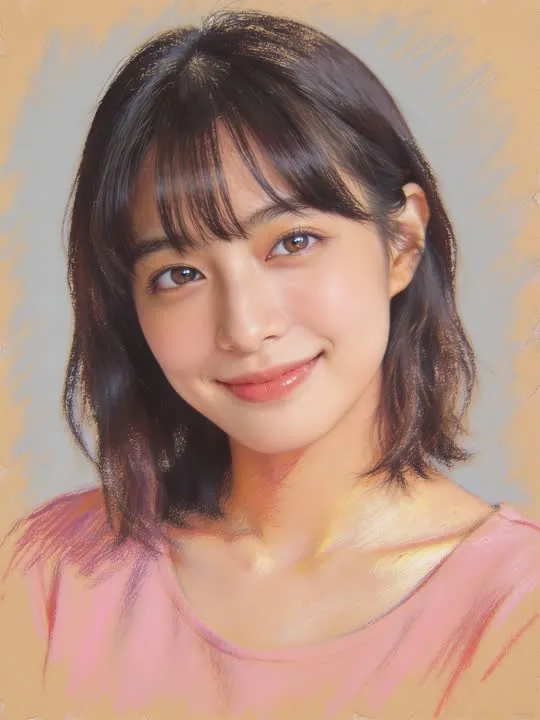 07Soft Pasteldrawn in powdery chalk pastel on toned paperPhoto style
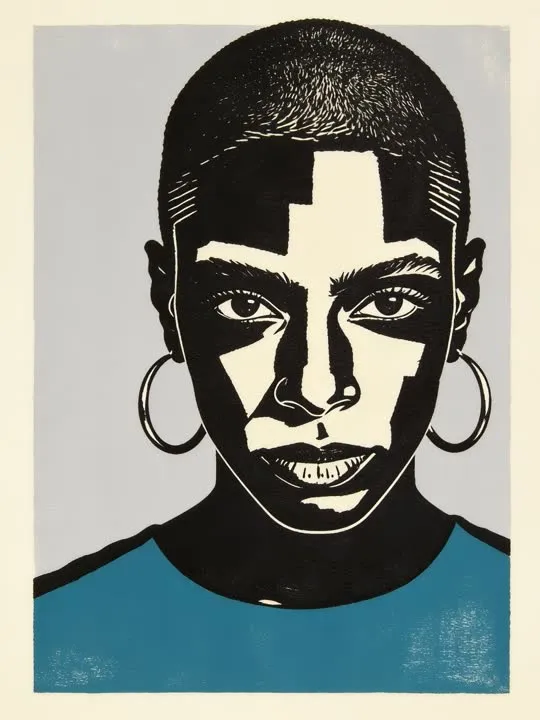 08Lino Printcarved and printed as a bold two ink lino blockPhoto style
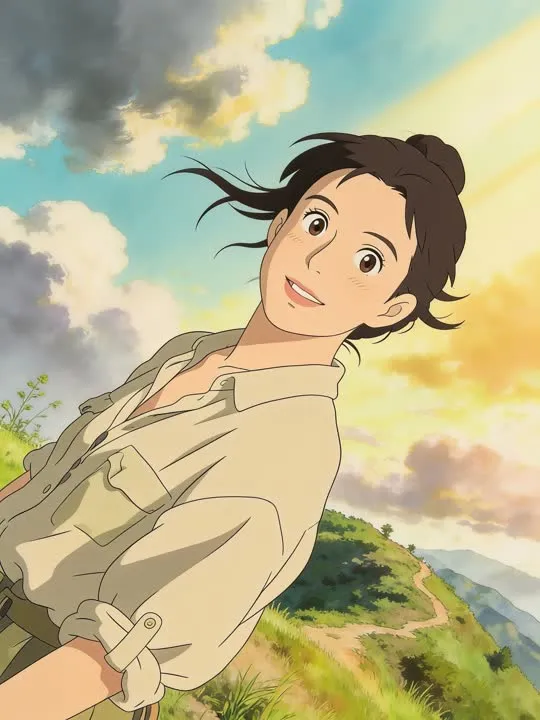 09Storybook Featurepainted into a hand-drawn animated feature scenePhoto style
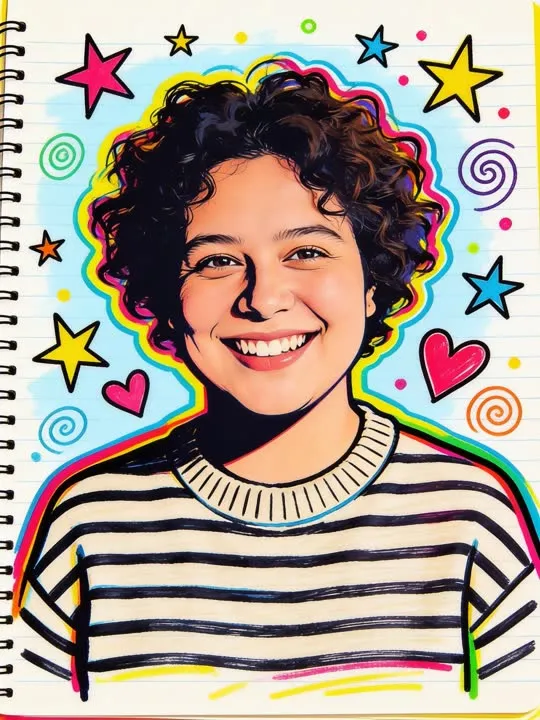 10Marker PopBold marker doodles and playful color bursts scribbled straight onto your photo.Photo style
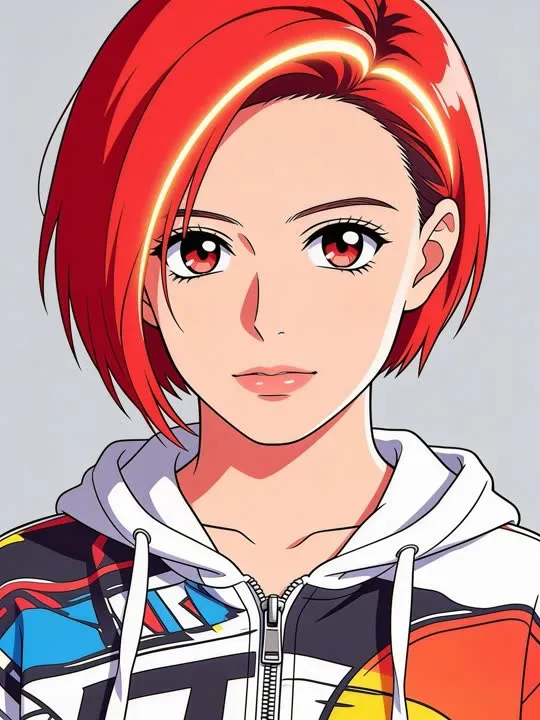 11Anime Cel Portraitflat cel-shaded linework, bold anime colourPhoto style
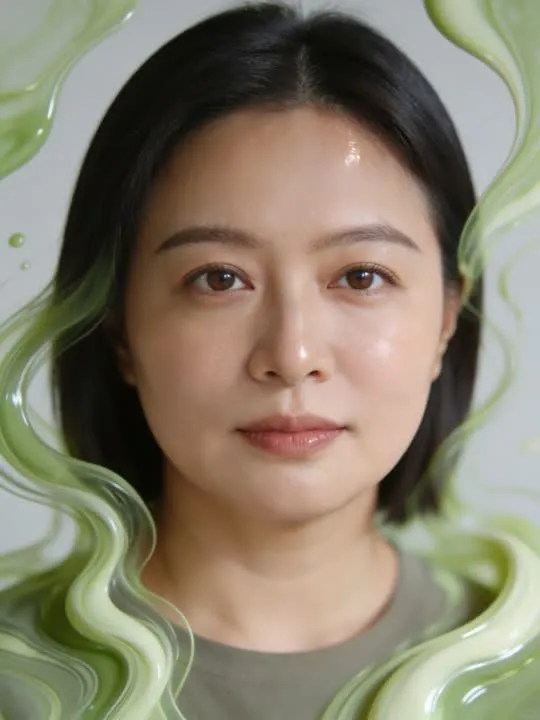 12Matcha DreamDissolve into a dreamy matcha fluid-art portraitPhoto style
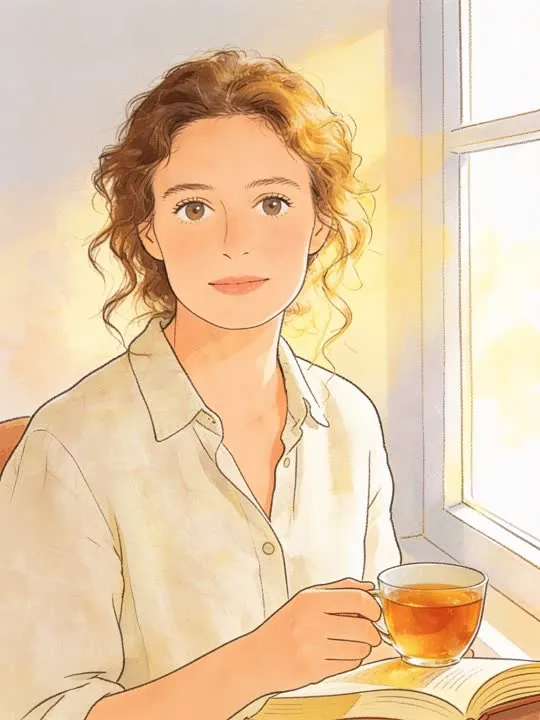 13Storybook WatercolorA soft hand-painted illustration of a quiet momentPhoto style
What is invented on this shelf
Brushwork, and everything brushwork implies. Where a stroke starts and ends, what the paper does under it, which details a hand would have bothered with and which it would have let go. That last decision is the one that makes these convincing, and it is also the one you have no control over.
One photograph goes in and a new still picture comes out, restyled rather than filtered: the model rebuilds the frame in the style instead of laying an effect over it. Run it twice if the first attempt gets a detail wrong, because the second version will not be identical.
The photograph this shelf wants
Paint follows shape, so a photograph with clear shapes translates best: a readable subject, a background that is not busy, and light that separates the two. Strong simple lighting helps more than fine detail, because loose media throws detail away first. Anything you want kept, a face, a hand, a particular garment, needs to be large and unobscured in the original rather than small in a corner.
The four things that decide any result are the same here as everywhere else in the library, and they are set out in what makes a photo work. The limits that apply to every action on this site are in what none of these can do.
Where Painting & Doodle results vary most
The reductive media are the extreme end. A lino cut is two inks, and a face reduced to two inks keeps a shape rather than a likeness. Pencil, oil and watercolour stay closer to the photograph. The heavier the abstraction, the more the result becomes a picture of a type of person rather than of you, which is a fair trade if you chose it and a surprise if you did not.
Where to go next
- Sunglasses, hats, and a face half covered: does it still animate?A dark lens takes more out of a face than people expect, and a hat is a different problem entirely. Which occlusions matter, and which actions barely notice them.
- The photo that will actually animate well (and the ones that will not)Most camera rolls have hundreds of good photographs and only a handful of good source material. A practical way to tell which is which before you spend a generation on the wrong one.
This is one shelf of many. The whole catalogue, grouped the way the app groups it, is in the action library.
Common questions
- What is the Painting & Doodle shelf for?
- Handmade media, one style per material. Loose wet watercolour, bold marker over the top of the picture, museum oil on canvas, graphite on textured paper, flat opaque gouache, ink and grey wash, chalk pastel on a toned ground, a two ink lino cut, a hand painted animated feature. Each one behaves like the material it names, which means each one keeps a different part of your photograph and throws away a different part.
- Do the Painting & Doodle styles make a video?
- No. Every action on this shelf is a photo style, so it hands back a new still picture rather than a clip. The photograph is rebuilt in the style rather than having an effect laid over it. The motion actions elsewhere in the library are the ones that produce video.
- What kind of photo works best for Painting & Doodle?
- Paint follows shape, so a photograph with clear shapes translates best: a readable subject, a background that is not busy, and light that separates the two. Strong simple lighting helps more than fine detail, because loose media throws detail away first. Anything you want kept, a face, a hand, a particular garment, needs to be large and unobscured in the original rather than small in a corner.
- Do I need a subscription for the Painting & Doodle actions?
- Nothing on this shelf is marked as a subscription only action in the app's catalogue. Free to download on iPhone and iPad. Credits and subscriptions are bought inside the app.
The right style for the photograph beats the popular one
Every action on the Painting & Doodle shelf is written up the same way, so you can check whether the picture in your camera roll actually suits it before you spend a credit on finding out.