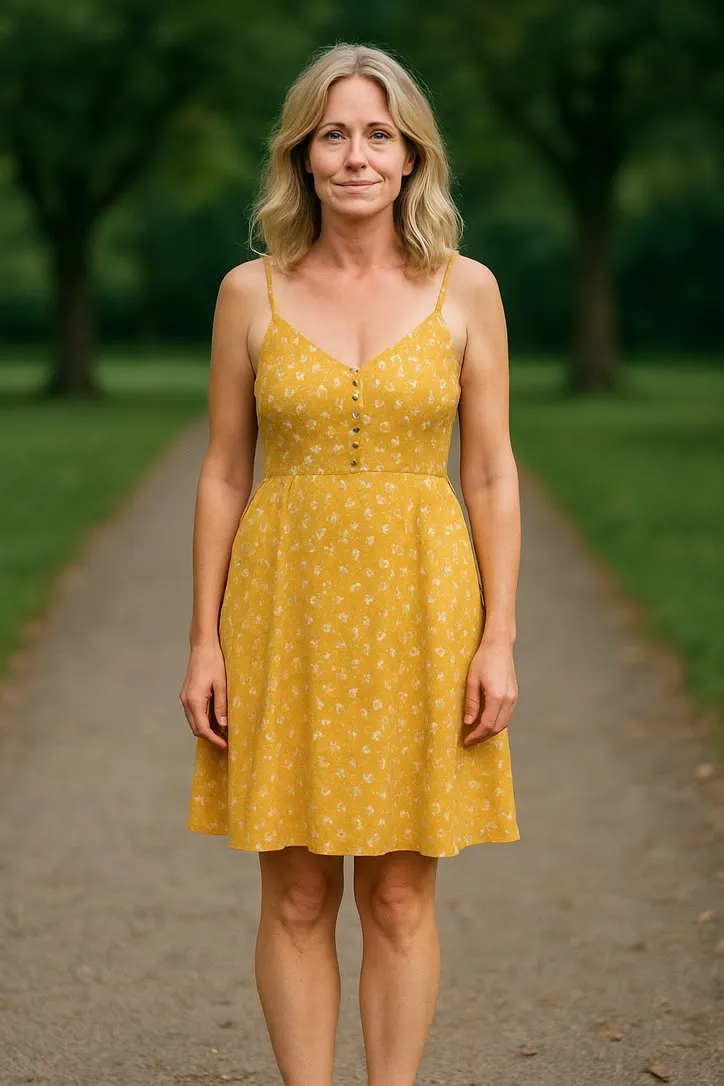
Holiday cards that move: seasonal photo animations
Christmas, Halloween and the end of year card, made from a photograph you already took. Which seasonal presets need what, how to send a clip without it arriving as a broken attachment, and the several occasions when a still card is plainly better.

The end of year card is a genre with rules. One photograph, everyone reasonably tidy, a line of text, and it arrives in the second week of December. The animated version is a small variation on that, and it works when it stays a variation rather than becoming a production.
The app groups this material together. The Special and Seasonal actions cover birthdays, Christmas and Halloween, and the Fun and Party group sits next to it with confetti and group shots. Those two shelves are where a card lives.
The seasonal presets, and what each one wants
Christmas gift is the obvious one and it has a specific requirement. Waist up, seated or standing, hands out in front and visible. If a wrapped gift is already in the photograph, keep it fully in frame and not pressed flat against the chest, because a half visible object animates badly. Warm room light suits the mood, but the face still has to be lit or the whole thing goes murky.
Halloween pose wants full length if the costume is the point, which it usually is. The trap here is faces. Masks and heavy face paint remove the features the model works from, so a costume that covers a face gives it nothing to animate. And a dark background is fine, while a dark background plus dark clothing plus low light is not.
Waving is the quiet winner for a card and it is not in the seasonal group at all. A card is a greeting. Chest up is enough, a hand already visible in the frame helps enormously, and the movement is small enough that the faces stay recognisably the people you sent it about.
Confetti throw suits a new year card. It needs real headroom, because the confetti comes down through the top of the frame, and it prefers a plain or softly blurred background so the falling paper stays readable.
If the card photograph has several people in it, group selfie is worth a try, though it wants two or three faces close together and clearly lit rather than a row of eleven.
Getting it to people
The clip is a short video file. Most of the trouble with sending one is ordinary email trouble.
Send a link, not an attachment. Attachments to a large family list get bounced, stripped or filed as spam, and you will not find out. Put the clip in a shared album, a cloud folder or an unlisted upload, and send the address.
Keep the file small by not making it bigger. A five second clip is already modest. The way people accidentally end up with a heavy file is by re-encoding it, cutting it into an edit with titles, or screen recording it at full resolution. Send what came out of the app.
Send the still as well. Some of the people on your list read mail on a work laptop that blocks video, and some of them simply prefer the photograph. Both should get something.
One clip. A card is one image. An animated card is one clip. A montage is a different genre and a longer commitment than the recipient signed up for.
Check it on a phone before you send it to sixty people. That is where it will be watched, in portrait, at whatever size the messaging app decides.
When a still photograph is simply better
This is the part most seasonal advice leaves out, so here it is plainly. Quite often the right answer is not to animate the card at all.
When the card is going to be printed. Paper does not move. A QR code printed on a Christmas card asks an elderly relative to fetch a phone, open a camera and trust a square, in exchange for five seconds. Make the photograph as good as it can be, print it well, and send the clip separately to the people who will enjoy it.
When the group is large. A card photograph with nine people in it has nine small faces, and small faces are exactly what these models handle worst. The still holds up perfectly. The clip will not.
When the photograph is already the point. Some pictures are good. A genuinely good photograph does not need a movement laid over it, and adding one can read as not trusting the picture.
When the costume or the setting hides a face. Masks, heavy makeup, a scarf pulled up over the nose, a photograph taken at dusk against a bright sky. All of these remove the features the animation depends on.
When you are short of time. Each clip is a generate, look, and often generate again. Doing that for four photographs on the evening the cards have to go out is how a nice idea becomes a chore at eleven at night.
The site’s notes on the limits are the general version of this. The short form: the model invents the motion, hands are the weakest part of any frame, faces drift on large movements, and busy backgrounds smear. A seasonal photograph tends to have a busy background by design, with a tree, a table and a room full of things in it, so it is worth choosing an action that keeps the movement small and central.
A sensible workflow for the week before
- Pick one photograph, the one you were going to use anyway.
- Check the crop against the action on that action’s page before you generate anything. Headroom for a toss or a throw, hands visible for a gift, face large for an expression.
- Generate it twice. Each attempt is fresh, and one of the two is usually clearly better.
- Watch it once on a phone, at the size people will actually see it.
- Send the still and the link together, with one line saying what the clip is.
That last line matters more than it sounds. The clip is generated from your photograph rather than filmed, and saying so takes six words and removes any small confusion before it starts.
For the family archive rather than this year’s card, see animating old family photos for a reunion. For the year’s other landmark occasions, see graduation, new baby, and the milestone photo.
Common questions
- Which presets suit a holiday card?
- The Special and Seasonal group in the action library, which covers birthdays, Christmas and Halloween, plus the small expression actions like waving. A wave is the most card shaped movement in the whole library, because a card is a greeting.
- How do I email an animated card without it bouncing?
- Send a link rather than an attachment. Mail servers reject large files quietly and often, and a video attachment to forty relatives is the most reliable way to end up in a spam folder. Put the clip in a shared album or an unlisted upload and send the link.
- Can I print an animated card?
- No, and a QR code on a printed Christmas card is usually a chore rather than a delight. If the card is going in an envelope, make the photograph as good as it can be and let it be still. Send the clip separately, to the people who will actually watch it.
- How long is the clip?
- About five seconds, which is the right length for something that loops in a message thread and the wrong length for anything you were planning to edit into a film.