An animated pregnancy announcement, made from one photograph
Why the small movements beat the dramatic ones for a pregnancy announcement, which preset actually reads as a greeting, and the one etiquette line worth settling before you post it.
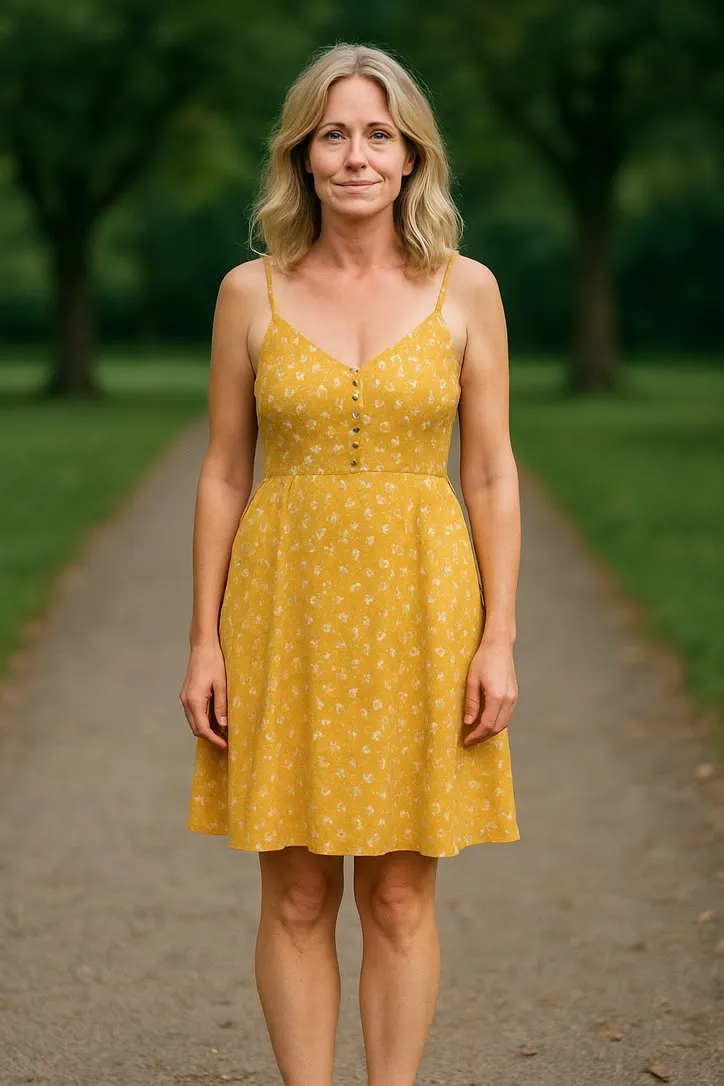
A pregnancy announcement is a greeting before it is anything else. Somebody is about to find out something good, and the whole job of the photograph, and now the clip, is to deliver that news warmly and get out of the way. That is a narrower job than it sounds, and it rules out more of the preset library than people expect.
The instinct is to reach for something big. A cap toss, a dance, both fists in the air. Resist it. A pregnancy announcement is not a celebration you are performing for the camera, it is one piece of news handed to someone who has not heard it yet, and the smaller the gesture, the more it reads as sincere rather than staged.
Small movements, because a greeting is not a routine
The three presets worth considering here all sit at the quiet end of the library, and that is not a coincidence.
Waving is the plainest option and, for most people, the right one. It needs a clear, front on face and very little else, and it turns a still photograph into a hello without asking that photograph to already look like an announcement. If the picture you have is simply a good, current portrait, this is the preset that gets the most out of it.
Laughing suits a photograph where the expression is already open and a little relaxed, a genuine smile rather than a held one. It builds from a quiet smile into a fuller laugh, which reads as someone reacting to good news rather than someone posing with it. It asks for a close to medium crop with the face clearly lit, the same requirement as almost everything else on this site.
Celebrating is the biggest of the three, both fists lifting and a rock back on the heels, and it is worth naming precisely because it is the one to be careful with. It only works from a photograph where the arms are already free of the body, not folded or holding anything, since the model has to lift them convincingly out of a standing pose. Use it when the source photo already has that openness in it. Do not choose it first and then go looking for a photo to fit.
The reasoning behind all three is the same reasoning that shows up across every occasion on this site: the preset asking for the least invention from your photograph is usually the one that holds up. A wave or a soft laugh only asks the model to add a small, believable motion to a face that is already there. A dance or a big gesture asks it to invent a body doing something your photograph never showed, and a pregnancy announcement is exactly the wrong place to be introducing that kind of uncertainty.
The photograph to take
You do not need a bump, a nursery, or a prop. You need a clear picture of the person sharing the news. A short list, rather than a lecture:
- Front on, one person. Two people in frame usually means one face ends up smaller and less clear than the model needs, and this is news that reads fine from one person alone.
- A relaxed, current expression. Not mid laugh, not mid speech. A neutral or gently smiling face gives the model the most room to build a natural wave or laugh from it.
- Good, even light. A window, an overcast afternoon outdoors, anything that lights the face evenly rather than from one hard side. This matters more than the setting behind the person.
- Some headroom if you are leaning toward Celebrating. The arms need somewhere to go when they lift, and a tight head and shoulders crop leaves them nowhere.
- Skip the ultrasound. Save it for the caption or the edge of the frame in a separate graphic. The model works from a face, and an ultrasound does not have one.
If the only photograph that feels right for this is an older one, worth a colour cast or some fading, deal with that first rather than letting the clip carry it forward. A restoration pass at photorestorelab.com before you animate is a reasonable extra step, though most pregnancy announcements are recent enough that this will not come up.
Who to tell before you post it
This is the one etiquette line worth including, and it has nothing to do with the technology. Before a pregnancy announcement goes anywhere public, tell the people who would otherwise find out secondhand, usually parents, siblings, or close friends who would rather hear it directly. That order of operations matters exactly as much for an animated clip as it does for a plain photograph, and a clip does not change who deserves to hear the news first. That call belongs to your family, not to a guide about presets.
Sending it
A pregnancy announcement usually travels as a link in a message rather than a group post, at least at first. A few things that make it land the way you want:
One clip. Pick the preset that fits the photograph you have and send that, rather than three attempts because you could not decide.
A link, not a screen recording. Recording your own screen playing the clip loses quality and adds a notification bar to the top of the news.
The still alongside it. Some people will want to save the photograph itself. Send both in the same message rather than making them ask.
What it actually is
The clip is five seconds of plausible movement invented from one frame, not a recording of anything that happened. That is worth one honest line when you send it, and nothing more than that. The news is real. The wave is generated, and everyone receiving it can tell the difference and will not mind.
For the rest of the milestones around a new arrival, see graduation, new baby, and the milestone photo. For the photograph itself, start with choosing a photo that will animate well.
Common questions
- Which preset works best for a pregnancy announcement?
- Waving is the safest choice, because it needs almost nothing beyond a clear, front on face and reads as a plain hello. Laughing suits a photo where the expression is already relaxed and open. Celebrating is the one to reach for only when the photograph already has the arms free to lift, since it is the biggest movement of the three.
- Can I animate an ultrasound photo?
- No. Every preset in the library assumes a human face and body to work from, and an ultrasound image has neither. Save the ultrasound for the still part of the announcement and animate a photograph of the parent instead.
- Do I need to already be visibly pregnant in the photo?
- No, and a photograph where the bump is not the whole point of the frame often animates better. The model needs a clear, well lit face far more than it needs the pregnancy to already be visible.
- Who should I tell before I post it?
- Anyone you would already tell before posting the news itself, which usually means parents, close family, or anyone who might otherwise find out secondhand. That call belongs to you and your family, not to the technology used to make the clip.