Animating a photo of the two of you
Two faces means two chances for the likeness to drift, so a couple's photo asks for a smaller, steadier action than most. Which photo to start with, which preset was actually built for two people, and why this library has no kiss effect.
A couple’s photo is the one place in this library where the ordinary advice doubles. Choosing a good source photo usually means worrying about one face. Here it means worrying about two, at the same time, in the same frame, which is exactly twice the opportunity for something to drift.
That is not a reason to avoid animating a photo of the two of you. It is a reason to be more deliberate about which photo and which action you pick, because the margin for error is smaller than it looks.
The photo that actually works
The instinct is to reach for whatever is newest on your phone. Resist it. A recent selfie is usually taken at arm’s length, at an angle, with one of you closer to the lens than the other, which is the hardest version of a two-person photo to animate well. One face ends up larger and better lit than the other, and the model has less to work with on whichever one is smaller or more shadowed.
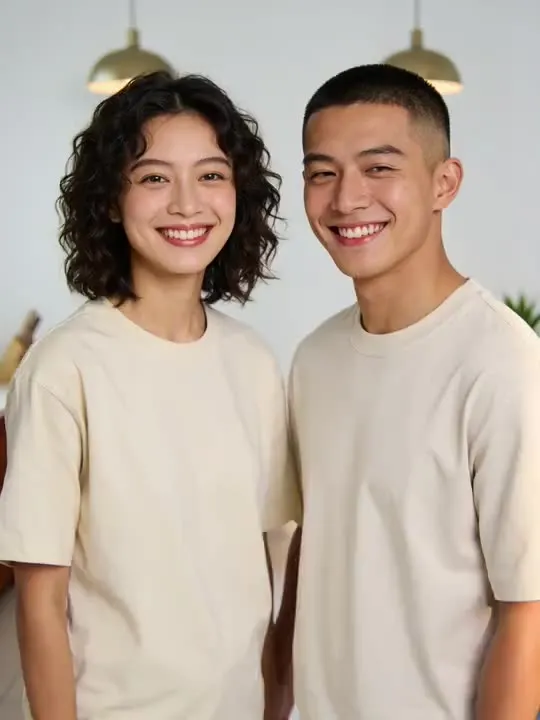
A better candidate is usually older than you’d expect: standing together at a dinner, a party, or just side by side somewhere with decent light. What matters is not how recent or how flattering it is. It’s two things:
- Both faces are a similar size in the frame. Roughly level with the camera, roughly the same distance from it. A couple leaning in for a selfie rarely satisfies this.
- The light falls evenly on both of you. One person half in shadow is a common failure mode in couple photos taken at golden hour or indoors with a single light source.
If the best photo of the two of you is an old print rather than something on a phone, animate the repaired scan rather than the print itself. A crease or a faded patch gets carried into every frame the model generates, and it tends to show up worse once something in the picture is moving. Our sister site has a practical guide to restoring a damaged or faded print before it goes near an animation.
The one preset actually built for two people together
Most of the dance and party actions in this library animate one person and invent a second, or invent an entire scene around a single subject. Kitchen Two-Step is written differently: it expects two people already standing together in your source photo, and sways them into a simple two-step that finishes with one spinning the other under a raised arm, face to face. Neither face is invented. Both are carried over from the photo and kept in frame through the whole motion.
It wants roughly what the photo advice above describes: two faces, level, close together, decent light. A kitchen is in the name but not a requirement, it reads the setting from your actual background rather than overwriting it.
If the photo you have doesn’t have that kind of closeness, or if you’d rather keep the gesture smaller, Celebration Toast is the gentler two-person option. Both of you raise a glass, clink, and break into a laugh. It asks less of the framing and still reads as a shared moment rather than one person’s performance.
Small movements hold two likenesses better than one
The same rule that applies to a single portrait applies here, only more strictly. A large, travelling motion gives the model more to invent, and with two faces in frame there are two places for that invention to drift from the people you actually are.
That’s why the steadiest results in this group come from the small end of the library, not the dramatic end. If one of you is the clearer subject in the photo and the other is partly turned or further back, it’s often better to pick something built for a single person and let your partner be the one who’s framed well. Dress twirl and a warm, simple laugh both hold a likeness closely, and neither asks for the kind of coordinated two-person framing that Kitchen Two-Step needs to work.
Run whichever one you choose twice. Every generation is independent, and with two faces on the line, the gap between the better attempt and the weaker one tends to be more obvious than it is on a solo portrait.
Why there’s no kiss effect
If you’ve used other tools in this space, you may have noticed they advertise a kiss or a hug animation. This library doesn’t have one, and that’s a deliberate choice rather than an oversight.
Two faces moving toward each other until they touch and overlap is close to the hardest category of motion to generate convincingly. It’s the one moment in a clip where a viewer’s eye is most precisely trained on exactly what should be happening, which means it’s also the moment where any wobble, blur or wrong contact point is most obvious. The closest thing in the library is Wink and Blown Kiss, which plays a single person winking and blowing a kiss toward the camera rather than toward a second person in frame. It’s a deliberately smaller gesture than a real kiss effect, and it holds up because it never asks two faces to touch.
If the whole point of the clip is a kiss, this isn’t the tool for it. If the point is two people clearly enjoying being photographed together, Kitchen Two-Step or Celebration Toast get you there without asking the model to do the one thing it does worst.
Sending it
A couple’s clip is usually a private thing before it’s a public one, so a few habits are worth keeping whichever way you send it.
Say what it is, once. A short caption or message along the lines of “this is generated, not footage” costs one sentence and means nobody on the receiving end spends a moment wondering whether you filmed something you didn’t.
Pick one clip over several. Five seconds of the two of you is a nice thing to send. A reel of six different actions stitched together starts to feel like you’re selling something.
Keep the original photo too. The still is what holds up as a keepsake. The clip is the novelty that gets watched once or twice and remembered rather than rewatched.
One honest limit is worth stating plainly: the model is inventing five seconds of motion from a single frame, not recovering anything that actually happened. For a couple photo that’s usually fine, since nobody mistakes it for footage once they’ve been told. It’s still worth saying before someone watches it rather than after.
If the photo in question is a wedding portrait rather than a candid shot of the two of you, the anniversary gift guide covers that case specifically, including what a formal portrait is usually missing that a candid photo has. For the general rules behind all of this, see choosing a photo that will animate well.
Common questions
- What photo of us should I animate?
- A photo where you're both already standing close, facing roughly forward, in even light. The most recent photo on your phone is usually a selfie at an angle, which is the hardest starting point. An older photo from a dinner out or standing together at an event usually beats it.
- Is there an action that actually involves both of us moving?
- Kitchen Two-Step is the one built for it. It is written for two people already together in the source photo and keeps them both in frame through a small sway and turn, rather than animating one face and leaving the other static.
- Why doesn't this app have a kiss or hug effect?
- Because two faces moving toward each other and overlapping is close to the hardest thing the model can be asked to do. Rather than ship an effect that usually goes wrong in the one moment people would notice most, the library leaves it out.
- Can I animate an old photo of the two of us?
- Yes, and it often works better than a recent phone photo, provided it is sharp and both faces are a reasonable size in the frame. If the print has faded or creased, repair it before animating rather than after.