Action library · Both kinds
Everyday Life
Domestic actions, built for the pictures already on your phone rather than for an occasion.
The ordinary shelf. Cooking, coffee, a morning routine at the mirror. These are deliberately small movements in familiar rooms, and they exist because most photographs are of ordinary moments and most of the rest of this library is not. They are also the actions that read least like a generated video, which is either the point or beside it depending on why you came.
People posting about a routine rather than an event. Small business owners with a product in hand. Anyone testing what this actually does, using a picture that cost them nothing to take.
This shelf holds two different things
Motion actions
These move
A photograph goes in and a clip of about 5 seconds comes out. The movement is generated from the one frame you supply, so nothing here is filmed and nothing is recovered.
Photo styles
These restyle
A photograph goes in and a new still picture comes out. The frame is rebuilt in the style rather than having an effect laid over it, and nothing on this side of the shelf moves.
Everything on the Everyday Life shelf
The ones that move
 01MovesCookingCooking delicious meals in kitchenModerate invention
 02MovesDrinking CoffeeEnjoying morning coffee routineModerate invention
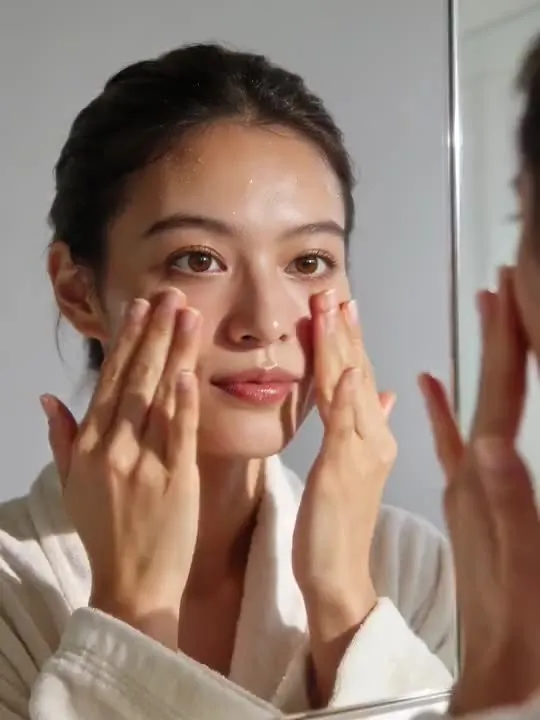 03MovesMorning Glow RoutinePatting in skincare at the mirror, one calm morning beatMotion action
 04MovesSunrise Balcony StretchA quiet morning stretch into the pink lightMotion action
 05MovesFresh Laundry Tossa warm shirt tossed and caught straight out of the dryerMotion action
The ones that restyle
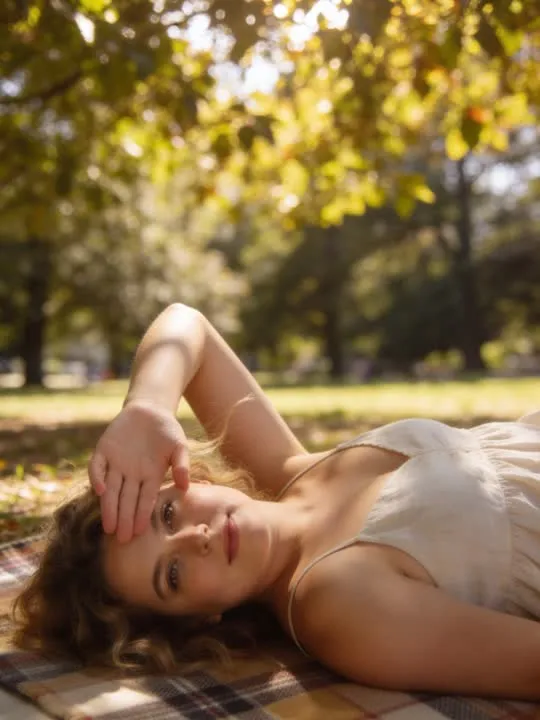 01RestylesPicnic Blanket AfternoonDappled shade, a plaid blanket, a lazy afternoonPhoto style
 02RestylesRainy Window PauseA quiet pause by a rain-streaked cafe window, coffee in hand.Photo style
 03RestylesHead Chef MomentPlate the dish like you run the kitchenPhoto style
 04RestylesGiant Latte MorningWrapped up cozy with a mug bigger than your head.Photo style
 05RestylesGreenhouse HourGolden light, trailing plants, a quiet green worldPhoto style
What is invented on this shelf
Whatever is being held, in every frame after the first. A cup, a pan, a jar. The photograph gives one view of it, and the action has to keep it the same object while a hand moves it, which is the single thing on this shelf most likely to go wrong.
The app's own invention flag, across this shelf
- ModerateReal movement, still anchored to the frameCookingDrinking Coffee
The rest of this shelf carries no invention flag in the app's catalogue, so nothing here places it on the ramp: Morning Glow Routine, Sunrise Balcony Stretch, Picnic Blanket Afternoon, Rainy Window Pause, Fresh Laundry Toss, Head Chef Moment, Giant Latte Morning, Greenhouse Hour. The flag is set on a preset by the app rather than by this site, and a guess dressed as a rating would be worth less than the gap.
Least invented first. A small rung stays close to the photograph you already have; a large one means the model is building most of what ends up on screen, which is also where a likeness has the most room to drift.
The photograph this shelf wants
Waist up is usually right for domestic actions, close enough to read the hands and the face together. Whatever is being held should be fully in frame and not merged into a background of the same colour. Ordinary indoor light is fine; direct overhead light that hides the eyes is not.
The four things that decide any result are the same here as everywhere else in the library, and they are set out in what makes a photo work. The limits that apply to every action on this site are in what none of these can do.
Where Everyday Life results vary most
Kitchens are busy, and detail behind a subject has to be reconstructed as the subject moves. Tiles, shelving and open cupboards all smear more readily than a plain wall. The other caution is colour: an object the same shade as the clothing behind it gives the model no edge to work from, and the two tend to merge.
Where to go next
- Why hands look wrong in animated photosFingers are the hardest thing in any generated frame, and no setting fixes that. Which actions ask the most of a hand, and how to crop or choose around the problem instead of fighting it.
- The photo that will actually animate well (and the ones that will not)Most camera rolls have hundreds of good photographs and only a handful of good source material. A practical way to tell which is which before you spend a generation on the wrong one.
This is one shelf of many. The whole catalogue, grouped the way the app groups it, is in the action library.
Common questions
- What is the Everyday Life shelf for?
- The ordinary shelf. Cooking, coffee, a morning routine at the mirror. These are deliberately small movements in familiar rooms, and they exist because most photographs are of ordinary moments and most of the rest of this library is not. They are also the actions that read least like a generated video, which is either the point or beside it depending on why you came.
- Does everything on the Everyday Life shelf move?
- No, and that is the first thing to check before picking one. This shelf holds both kinds: some of these are motion actions that hand back a short clip, and the rest are photo styles that hand back a new still picture. Both halves are named and linked separately on this page, and every card is labelled.
- What kind of photo works best for Everyday Life?
- Waist up is usually right for domestic actions, close enough to read the hands and the face together. Whatever is being held should be fully in frame and not merged into a background of the same colour. Ordinary indoor light is fine; direct overhead light that hides the eyes is not.
- Do I need a subscription for the Everyday Life actions?
- Nothing on this shelf is marked as a subscription only action in the app's catalogue. Free to download on iPhone and iPad. Credits and subscriptions are bought inside the app.
The right action for the photograph beats the popular one
Every action on the Everyday Life shelf is written up the same way, so you can check whether the picture in your camera roll actually suits it before you spend a credit on finding out.